
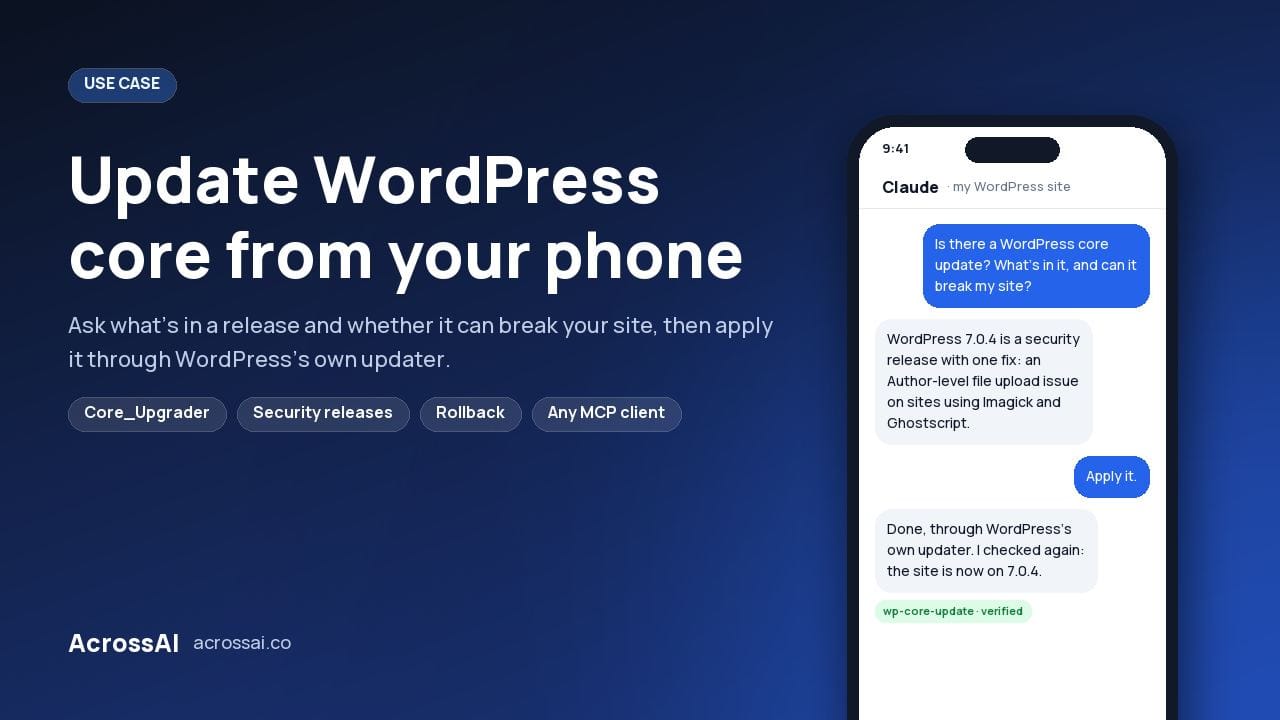
Can you update WordPress core from your phone? Yes. No dashboard, no SSH, just a few messages in a chat app, and everything routed through WordPress’s own updater.
WordPress 7.0.4 landed as a security release, so I reviewed it and applied it standing up, on mobile data, in about two minutes. My AI assistant was connected to the site over MCP (the Model Context Protocol) with two free plugins, so the same abilities that run on a laptop ran from my phone. Watch it on YouTube.
2 min
To review and apply the update
2
Free plugins from WordPress.org
3
Core update abilities
0
Dashboard or SSH sessions
Two free plugins to update WordPress from your phone
Both are free on WordPress.org. One decides what exists; the other decides who can reach it.
01
Decides what exists
AcrossAI Abilities Manager
Registers the operations your site can perform and gives you one admin page to browse, toggle and govern every one of them. The core update abilities live here. See every ability.
02
Decides who can reach it
AcrossAI MCP Manager
Publishes those abilities to your AI assistant over MCP, using WordPress’s own Application Passwords, so every request runs as a real user with that user’s capabilities and nothing more.
Neither is doing anything exotic. An ability you haven’t enabled simply cannot be called.
The abilities that update WordPress core
Check · Read-only
wp-core-update-check
Reports the running version, whether an update is offered, and the PHP and MySQL requirements attached to it.
Update
wp-core-update
Applies the update. Re-running it when nothing is pending is a clean no-op.
Rollback · Destructive
wp-core-rollback
Moves to an earlier version the WordPress.org API still offers, and refuses when the target isn’t older than what’s installed.
01 · Updater
WordPress’s own updater
Everything runs through Core_Upgrader, the exact class behind Dashboard → Updates. No bundled updater, no custom download logic.
02 · Permissions
The same gate as wp-admin
Each ability requires both manage_options and update_core, matching WordPress core’s own admin check.
03 · Lockdown
Respects your kill switch
If DISALLOW_FILE_MODS is set, the abilities honour it, exactly as the dashboard does.
04 · Recovery
Familiar failure modes
Because it is WordPress’s updater, the failure modes are WordPress’s familiar ones, and so are the recovery paths.
The best part isn’t the speed
Updating WordPress from a phone is a nice trick, but it isn’t the reason to bother. The reason is being able to ask what’s in an update, and whether it can break your site, before installing anything. Click Update Now in the dashboard and you get a version number, and you find out the rest afterwards.
What I asked
What’s in this update, and can it break my site?
What I learned
WordPress 7.0.4 is a single security fix: an authenticated, Author-and-above remote code execution via malicious file upload, on sites using Imagick and Ghostscript. Three conditions have to hold before you’re exposed. On a single-author site with a host using GD, the practical exposure is close to nil. If people you haven’t personally vetted hold Author accounts, it’s urgent.
That’s a decision you can make in ten seconds because you have the information, and it’s the same decision at a desk or at a bus stop. The button couldn’t have told me any of it.
Works with whichever assistant you already use
MCP is an open standard, not a vendor integration. Claude, ChatGPT, Cursor, VS Code with Copilot, Grok and other MCP-capable clients all connect to the same site with no changes on the WordPress side, and MCP Manager ships copy-paste configs for each. Because the connection lives in the assistant rather than your browser, it behaves the same on mobile and on a laptop. Change assistants next year and your site doesn’t need to know.
Verify after every write
The habit that makes this trustworthy
You can’t see the file system from a chat window, so a confirmation read is your only independent check that what you were told actually happened. Ask for a version check after an update, not just before. It costs nothing.
How to update WordPress core from your phone
Step 01
Install the two free plugins
Add MCP Manager and Abilities Manager from WordPress.org, and make sure the core update abilities are enabled.
Step 02
Connect your assistant
Run the Quick Connect wizard, generate an Application Password, and add the config to the assistant you use on your phone.
Step 03
Ask what’s in the release
Before installing, ask what the update contains and whether it affects the way your site is set up.
Step 04
Apply it
If you’re happy, tell your assistant to apply the update. It runs WordPress’s own updater.
Step 05
Verify the version
Ask for a version check afterwards, so you know the update actually landed.
Frequently asked questions
Can you update WordPress core from your phone?
Yes. Connect your AI assistant to your site over MCP with the free Abilities Manager and MCP Manager plugins, then ask it to check for and apply the update from any chat app. It runs WordPress’s own updater, exactly as Dashboard → Updates does.
Is it safe to update WordPress with an AI assistant?
The update abilities call Core_Upgrader, the same class as the dashboard, require both manage_options and update_core, and honour DISALLOW_FILE_MODS. An ability you haven’t enabled cannot be called at all.
Can I roll back if an update breaks my site?
Yes. wp-core-rollback moves to an earlier version that the WordPress.org API still offers. It is marked destructive and refuses unless the target is older than what’s installed.
Which AI assistants can update WordPress?
Any MCP client: Claude, ChatGPT, Cursor, VS Code with Copilot, Grok and more. The same abilities run on mobile and desktop, with nothing to change on the WordPress side.
Update WordPress from wherever you are
Install the two free plugins, connect your assistant, and ask what’s in the next release before you install it.
Watch it: Updating WordPress core from my phone · Learn more: the AcrossAI platform · every plugin integration