
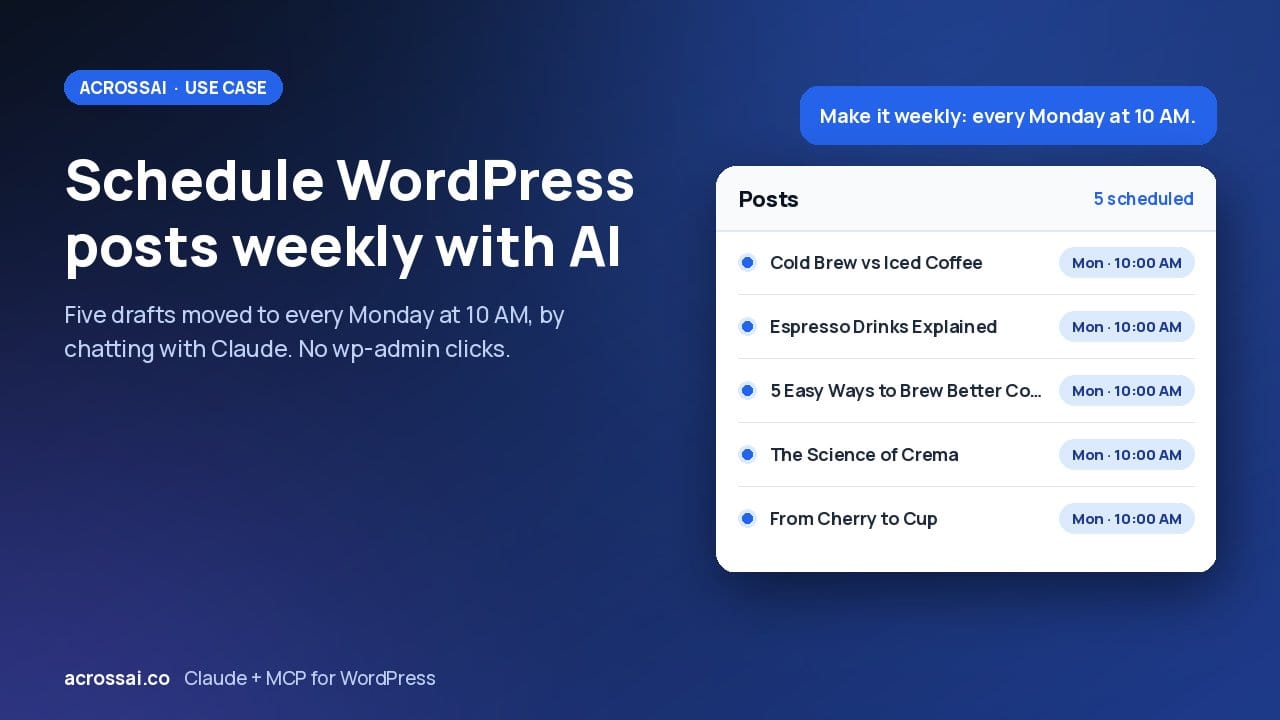
Can AI schedule your WordPress posts? Yes. I scheduled five draft posts by chatting with Claude, then moved the whole batch to every Monday at 10 AM with one message. No wp-admin, no opening each post one by one.
Claude was connected to the site over MCP (the Model Context Protocol) using the free MCP Manager and Abilities Manager plugins, so every request I typed went straight to the live WordPress site. Watch the full demo on YouTube.
5
Draft posts scheduled
Mon
Weekly, every Monday at 10 AM
1
Message to change the publish time
0
Clicks in wp-admin
What I asked Claude to do
The whole demo is four plain-English requests. Each one is a single message, and each one changes real posts on the live site.
01 · Read
Pull the list of posts
I asked Claude for every post on the site. It came back with titles and statuses, so I could see which ones were still drafts before touching anything.
02 · Schedule
Five drafts on alternate days
One message scheduled five draft posts, one every other day. Claude worked out the dates and set each post to Scheduled with its own publish time.
03 · Reschedule
Switch to weekly
Then I changed my mind: one post a week, every Monday at 10 AM. Claude moved all five posts to the new calendar in one go, instead of me reopening each one.
04 · Adjust
Change the time
Finally I adjusted the publish time with a single message. The days stayed the same; only the time moved, across every scheduled post.
wp-admin vs. one message
The usual way
Open each draft, set a date, set a time, click Schedule. Repeat five times.
And when the plan changes from alternate days to weekly, you do all of it again, post by post, counting Mondays on a calendar.
With AcrossAI + Claude
Describe the calendar you want. Claude applies it to every post.
Changing the plan is one more sentence. Claude recalculates the dates and updates each scheduled post for you.
How it works under the hood
Nothing here is a custom scheduler. A scheduled post in WordPress is just a post with the Scheduled status and a future publish date, and WordPress publishes it on its own when that time arrives. Claude set those fields through named AcrossAI abilities, listed in full below.
01
Connects Claude
AcrossAI MCP Manager
The WordPress MCP server. Claude signs in as a real WordPress user through Application Passwords, so it can only schedule posts that user is allowed to edit.
02
Gives Claude abilities
AcrossAI Abilities Manager
Registers the content and database abilities Claude used here: listing posts, scheduling them and correcting their dates, plus hundreds more. See every ability.
The abilities Claude used
Four AcrossAI abilities did all the work in this demo:
| Ability | Toolset | What it did |
|---|---|---|
content/list-posts | Content | Pulled every post on the site in summary mode, so the response stayed small. |
content/update-post | Content | Set each draft to Scheduled with its new publish date, which tells WordPress to queue the publishing job. |
database/get-db-prefix | Database | Looked up the table prefix before touching the database. |
database/update-db-rows | Database | Corrected post_date and post_date_gmt directly when the schedule changed. |
Claude also ran discover and info calls on the Content and Database toolsets to find these abilities and read their input schemas. Those calls are read-only and changed nothing on the site.
Why the database step was needed
When the schedule changed, content/update-post updated each post’s local publish date but not the GMT date stored next to it. Claude caught the mismatch and corrected both dates with database/update-db-rows. If update-post recalculated the GMT date whenever a scheduled post’s date changes, this whole workflow would run on the two content abilities alone.
Tip: check your site timezone
“10 AM” means 10 AM in the timezone set under Settings › General. Before a big batch, ask Claude to read the site’s timezone and then list the scheduled posts back to you with their dates. Every change gets a read that proves it happened.
Who this is for
Bloggers
Batch-write, then schedule
Write a month of posts in one sitting, then hand Claude the publishing rhythm.
Agencies
Client content calendars
When a client moves the launch date, reshuffle the whole calendar in one message.
Everyone else
Chat instead of clicks
Anyone who would rather manage WordPress by describing the outcome than by hunting through menus.
Try it on your own site
Install the two free plugins, connect Claude, and make your first request in minutes.
Frequently asked questions
Can AI schedule WordPress posts?
Yes. Once Claude is connected to WordPress over MCP, it can list your posts, set drafts to Scheduled with a future publish date, and reschedule them whenever your plan changes.
Do I need a scheduling plugin?
No. Scheduling is built into WordPress. Claude sets the post status and publish date, and WordPress publishes each post when its time arrives.
Can I change the schedule later?
Yes. In the demo I moved five posts from alternate days to every Monday at 10 AM, then changed the time, each with a single message.
Is it safe to let Claude change posts on a live site?
With MCP Manager, Claude connects as a real WordPress user through Application Passwords, so it can only do what that user is allowed to do. It uses named abilities rather than running arbitrary code, and you can revoke access at any time from your profile page.
How much does it cost?
Both plugins used in this demo are free on WordPress.org. You only need an AI assistant that supports MCP, such as Claude.
Manage WordPress by chatting with AI
Install the two free plugins, connect Claude, and hand it your content calendar. Set up AcrossAI on your own site in minutes.
Watch the demo: How to schedule WordPress posts weekly using AI · Learn more: acrossai.co