
An MCP server only offers what you allow. Two tabs control that: Tools (the short list actively exposed to clients) and Abilities (the full catalogue you can expose or hide).
The Tools tab
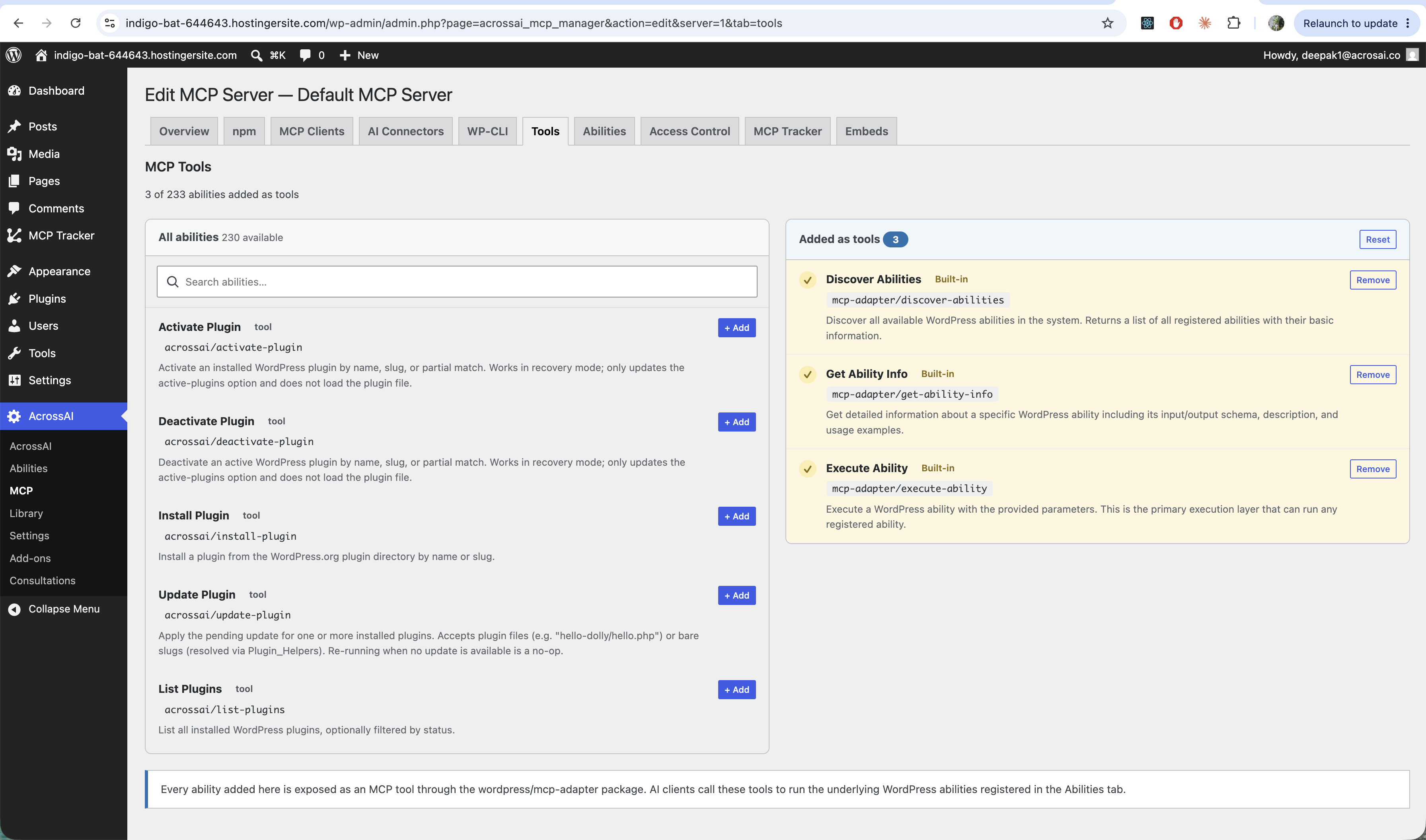
On the left is every available ability; on the right is what’s Added as tools for this server. Use + Add and Remove to build the set, or Reset to start over. Every ability added here is exposed to AI clients as an MCP tool they can call.
The Abilities tab
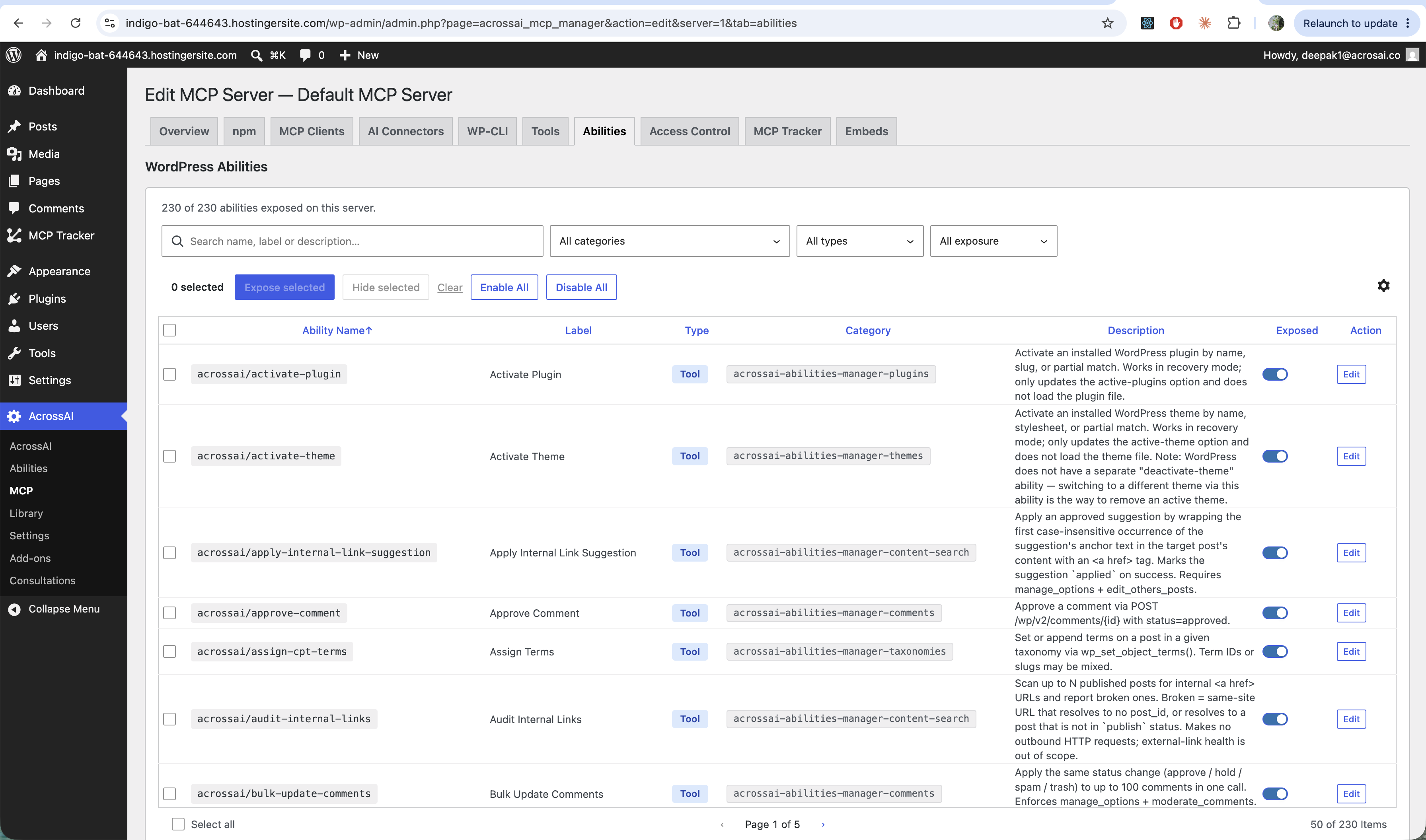
This is the full list of WordPress abilities. Search and filter by category, type or exposure, flip the Exposed toggle on any row, or use Enable All / Disable All and Expose selected / Hide selected to work in bulk. Only exposed abilities can appear as tools.
Rule of thumb: expose only what your AI actually needs. You can widen the set any time as your use grows.