
For local WordPress installs, an MCP client can talk to your site by launching WP-CLI as a subprocess instead of calling the network endpoint. This is the STDIO transport, and because nothing goes over the network, no credentials are transmitted.
Before you start: your MCP client launches this through Node, so you need Node.js 22 or newer installed. Check with
node -vand upgrade if you are below 22.
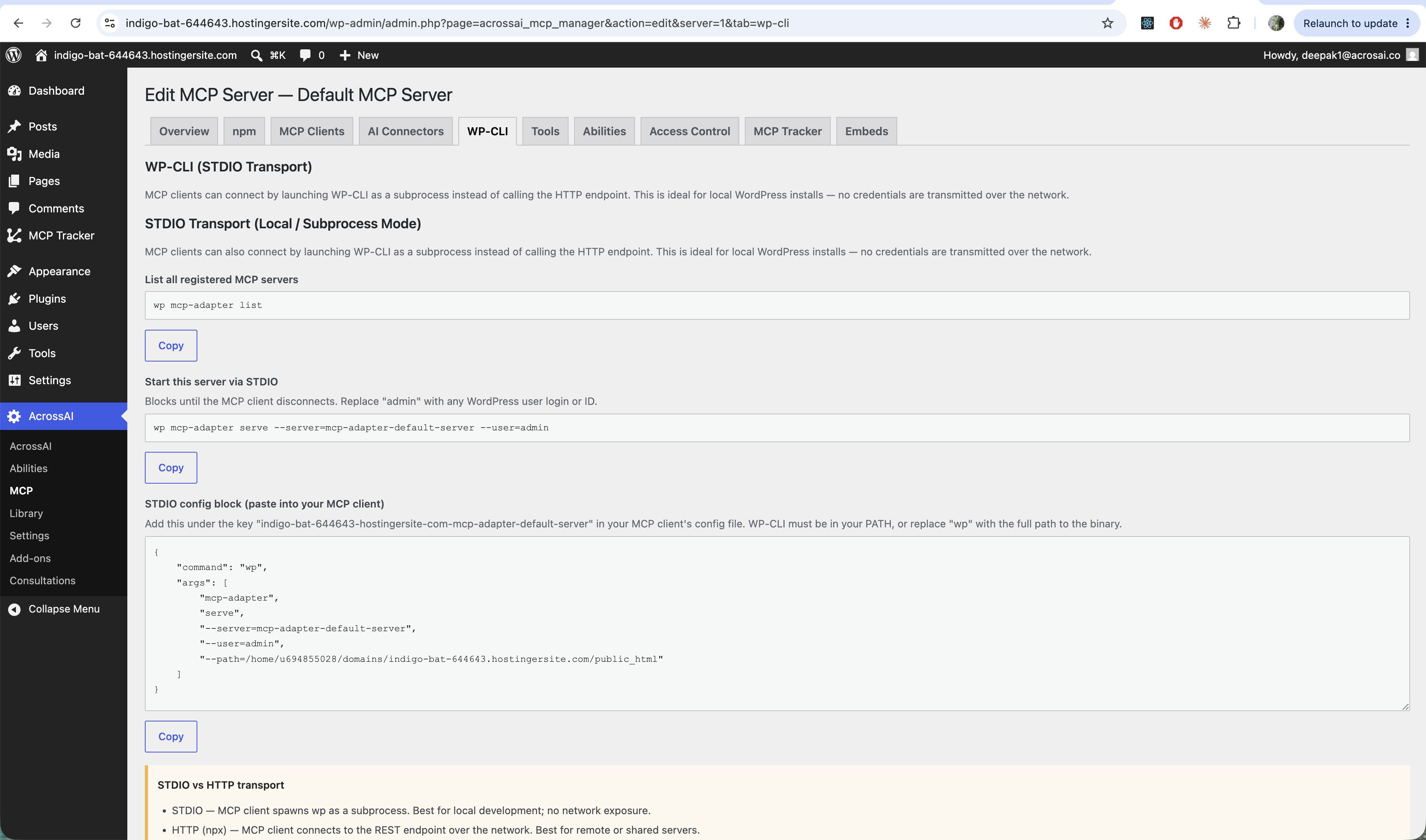
The WP-CLI tab gives you copy-ready commands:
- List all servers —
wp mcp-adapter list. - Start this server —
wp mcp-adapter serve --server=<slug> --user=admin(replaceadminwith any user login or ID). It runs until the client disconnects. - STDIO config block — a JSON snippet to paste into your MCP client’s config file, under the server’s key.
STDIO vs HTTP — which to use
- STDIO — the client launches
wpas a subprocess. Best for local development; no network exposure. - HTTP (npx) — the client connects to the REST endpoint over the network. Best for remote or shared servers.
Tip: WP-CLI must be on your
PATH, or replacewpin the config with the full path to the binary.