
✅ Included in AcrossAI Pro. These integrations are live and ship inside AcrossAI Pro — there is no separate add-on to buy. (They were previously announced as a standalone User Access Pro add-on; that plan was dropped in favour of a single Pro licence.) The free version already includes the WordPress Role, Users and Capability options.
With AcrossAI Pro, the Who can access dropdown gains a set of powerful options that gate any ability or MCP server by the tools you already run — your membership plugin, your LMS, or your community platform. Sell AI features as part of a paid tier, unlock them for course students, or limit them to a member type — all without code.
The Pro integrations
| Integration | Works with | Gate access by |
|---|---|---|
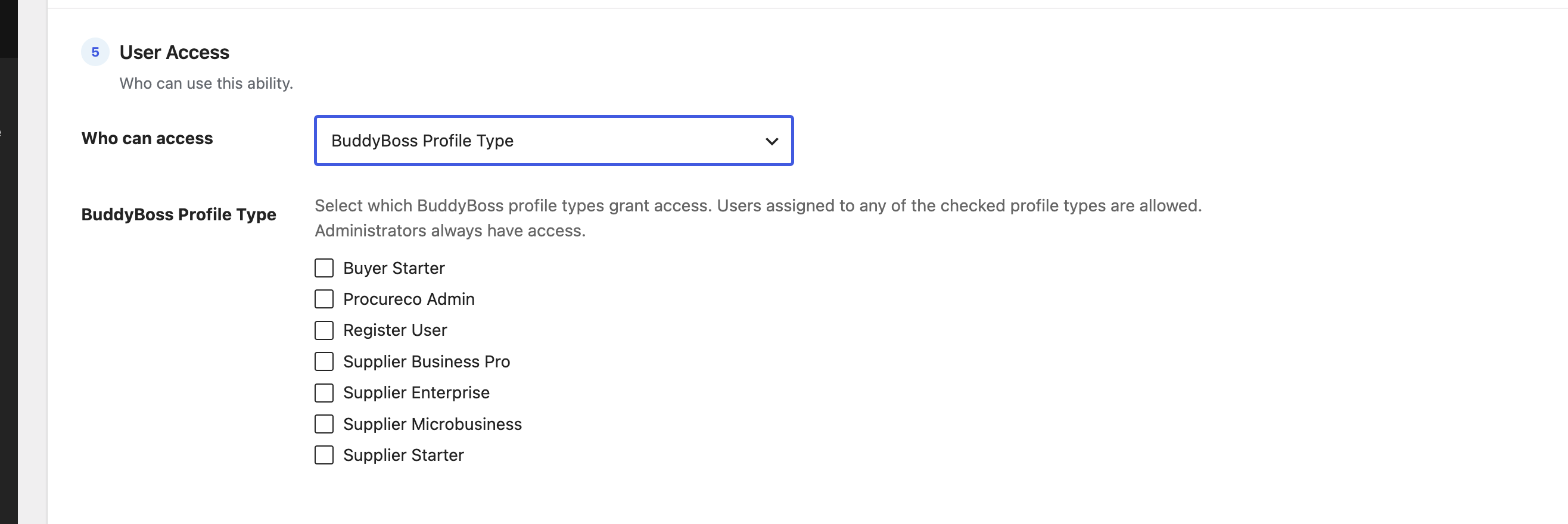
| BuddyBoss Profile Type | BuddyBoss Platform | Member / profile type |
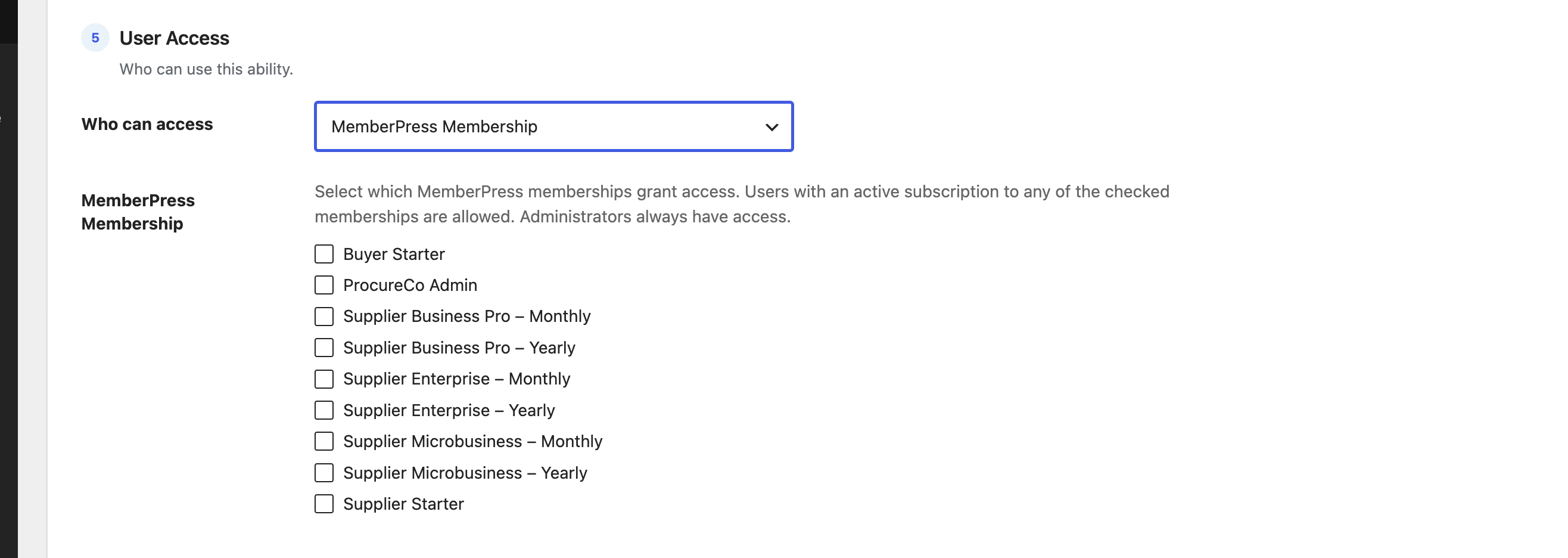
| MemberPress Membership | MemberPress | Active subscription |
| LearnDash Group | LearnDash LMS | Group membership |
| LifterLMS Membership | LifterLMS | Membership plan |
| Paid Memberships Pro | Paid Memberships Pro | Membership level |
| Restrict Content Pro | Restrict Content Pro | Subscription |
| WooCommerce Membership | WooCommerce Memberships | Membership plan |
| s2Member Level | s2Member / s2Member Pro | Membership level |
| Wishlist Member Level | Wishlist Member | Membership level |
| Memberium Membership | Memberium (Keap / ActiveCampaign) | Membership |
How they work
- Each integration detects itself — it appears in the Who can access dropdown only when its plugin is active, and stays hidden otherwise. There is nothing to configure or switch on.
- Tick one or more levels, plans, groups or types; a user is allowed if they match any one of them.
- Membership options check for an active subscription or enrolment, so access follows billing automatically — when a subscription lapses, access ends on the next request.
- Access is enforced on every request, not just at connection time. A client with a valid application password is still refused if the user behind it no longer qualifies.
- Administrators always have access, and anything unavailable fails safe (denies) — just like the free options.
Requirements
- An active AcrossAI Pro licence. Unlicensed installs contribute no providers.
- The free AcrossAI MCP Manager plugin, active. It owns the Access Control system that these providers plug into; without it, the integrations stay dormant.
- The membership, LMS or community plugin itself, active on the same site.
What they look like
The Pro options slot right into the same dropdown you already know. Here are two of them:
For developers
Every provider exposes two filters for site-specific customisation — one to shape the option list rendered in the dropdown, and one to override the access-check result for a given user and selection. See For developers: providers, REST API & React component.
Get started: membership integrations are included in every AcrossAI Pro plan, starting at $49/year, with a 30-day free trial on Personal. See plans. Running a platform we don’t support yet? Tell us — new providers are straightforward to add.