
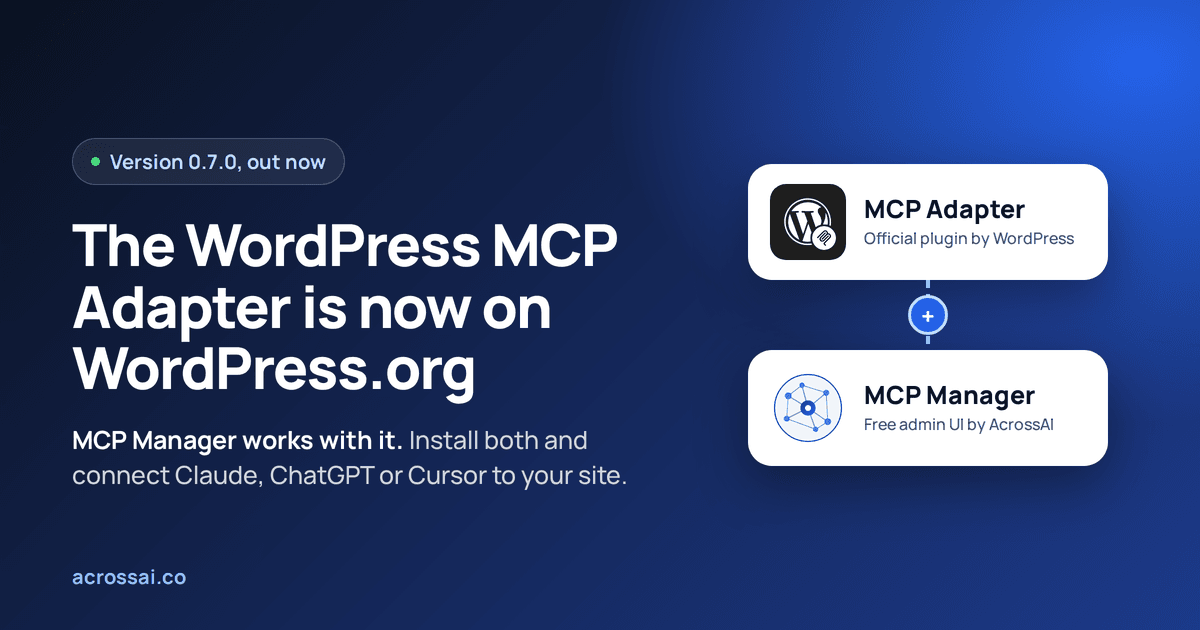
The MCP Adapter plugin is now on WordPress.org. As of 2 October 2026, the official WordPress MCP Adapter, the package that turns your site into an MCP server for Claude, ChatGPT, Cursor and other AI clients, can be installed from Plugins › Add New like any other plugin, starting with version 0.7.0.
That is good news, and it corrects a lot of out-of-date advice. Google’s AI Overview still says the adapter is not in the plugin directory, and the Learn WordPress lesson still tells you to download a zip from GitHub. Both predate the listing.
But installing the MCP Adapter plugin is only half the job. Activate it and look for its settings page: there isn’t one. The adapter is a developer layer with no admin screens. That gap is exactly what MCP Manager fills. It is our free plugin that gives the MCP Adapter a proper UI in wp-admin, and it works with the MCP Adapter plugin from WordPress.org.
The short version
- The MCP Adapter plugin is on WordPress.org. Slug
mcp-adapter, version 0.7.0. Install it from your admin or withwp plugin install mcp-adapter --activate. - It has no UI. Servers are registered in PHP, client configs are written by hand, and there is no screen to decide who may connect.
- MCP Manager is the UI layer for the MCP Adapter. Free on WordPress.org. Create servers, pick which abilities are exposed, copy ready-made configs for 16+ AI clients, and control access, all from wp-admin.
- They work together. Install the MCP Adapter plugin, add MCP Manager on top, and connect your first AI client in about a minute.
What the MCP Adapter plugin does
The Model Context Protocol (MCP) is the open standard AI assistants use to discover and call tools in other systems. Any MCP client, whether Claude, ChatGPT, Cursor, VS Code or Copilot, can talk to any MCP server without custom integration code.
The WordPress MCP Adapter makes your site one of those servers. It takes the abilities registered through the WordPress Abilities API, which has been in core since WordPress 6.9, and presents them to AI clients as MCP tools, resources and prompts. It handles protocol negotiation, authentication, permission checks and errors, over HTTP for remote clients and STDIO for local ones.
It is an official project of the WordPress AI team, part of the AI Building Blocks for WordPress initiative, developed on GitHub. The directory listing changes how you get it and how it updates, not who builds it.
How to install the MCP Adapter plugin from WordPress.org
You need WordPress 6.9 or newer and PHP 7.4 or newer. In wp-admin, go to Plugins › Add New, search for MCP Adapter, install and activate. Or from the command line:
# Before: download the release zip from GitHub
wp plugin install https://github.com/WordPress/mcp-adapter/releases/latest/download/mcp-adapter.zip --activate

# Now: install the MCP Adapter plugin straight from WordPress.org
wp plugin install mcp-adapter --activate
The practical win is updates. A directory plugin shows up on your normal Updates screen and works with auto-updates, so you no longer swap zip files by hand on every release.
The catch: the MCP Adapter has no UI
Activate the MCP Adapter plugin and you get a working endpoint at /wp-json/mcp/mcp-adapter-default-server. You do not get a menu item, a settings page or a single screen. Everything else is up to you, in code:
- Extra servers are registered in PHP on the
mcp_adapter_inithook, with a dozen positional arguments for routes, transports, handlers and the abilities to expose. - Client configs are JSON you write yourself, and every client wants a slightly different format, file location and top-level key.
- Credentials mean creating an Application Password in your profile and pasting it into that JSON by hand.
- Who can connect is whoever can log in. There is no screen to limit MCP access to particular users.
Here is what a hand-written client config looks like for a local site over STDIO. Multiply it by every client, every site and every teammate:
{
  "mcpServers": {
    "wordpress-default": {
      "command": "wp",
      "args": [
        "--path=/path/to/your/wordpress/site",
        "mcp-adapter",
        "serve",
        "--server=mcp-adapter-default-server",
        "--user=admin"
      ]
    }
  }
}
That is fine for a developer wiring up one site. It is a wall for an agency handing a site to a client, a content team that wants Claude to draft posts, or anyone who expects WordPress to have a screen for things.
MCP Manager: the UI layer for the MCP Adapter
MCP Manager is a free plugin on WordPress.org that adds a complete admin interface on top of the MCP Adapter. The adapter stays the engine. MCP Manager is the dashboard.
MCP servers without PHP
Create and manage multiple MCP servers, each with its own route, status and version, from a screen instead of a hook.
Choose the tools
Pick exactly which abilities each server exposes as MCP tools. Only what you select is callable by an AI agent.
Ready-to-paste client configs
Configs for 16+ clients, including Claude Desktop, Claude Code, VS Code, GitHub Copilot, Codex and Cursor. Copy, paste, connect.
Access control on every request
Decide which users may connect. Every MCP request is checked, so a disallowed user is refused even with a saved config.
On top of that, MCP Manager generates one-time Application Passwords per client, supports HTTP, STDIO and WP-CLI transports, records approved, successful and failed connection attempts per server, and includes Quick Setup, which takes you from install to a connected AI client in about a minute. Everything runs inside your own WordPress install, with no relay or third-party cloud in between.
MCP Adapter alone vs MCP Adapter with MCP Manager
| Task | MCP Adapter plugin alone | With MCP Manager |
|---|---|---|
| Admin screens | None | Full dashboard in wp-admin |
| Create an MCP server | PHP on mcp_adapter_init | A form, with route, status and version |
| Choose exposed abilities | Code flags per ability | Select them per server |
| Client configuration | Hand-written JSON per client | Ready-to-paste configs for 16+ clients |
| Credentials | Create an Application Password manually | Generated per client, shown once |
| Who can connect | Any user who can authenticate | Allowed users only, checked per request |
| Connection history | Not available | Log of approved, successful and failed attempts |
| Time to first connection | Depends on your comfort with code | About a minute with Quick Setup |
| Price | Free | Free |
Set up the MCP Adapter with a UI in four steps
3
Pick your AI client
Run Quick Setup, choose Claude, ChatGPT, Cursor or another client, and copy its config.
4
Connect and ask
Paste it into the client and ask: “What can you do on this site?”
One thing to know on a fresh site: the MCP Adapter exposes abilities, it does not create them. If your site registers only a few, a connected AI client will have only a few things it can do. Abilities Manager, also free, adds hundreds of ready-made abilities for posts, blocks, media, users, plugins, SEO and more, so the client has real work it can do from the first minute.
What changed in MCP Adapter 0.7.0
The first WordPress.org release is not cosmetic. If you only use the default server with standard clients, you just update. If you built custom integrations, read the 0.7.0 migration guide first.
| Area | What changed |
|---|---|
| MCP revisions | Serves 2025-11-25 and the new 2026-07-28. Clients asking for 2025-06-18 or 2024-11-05 still connect through 2025-11-25. |
| New in 2026-07-28 | The sessionless server/discover lifecycle, new HTTP headers, and tools that can ask the user for input mid-call. |
| Validation | Always runs against the selected schema. Invalid fields are rejected instead of being quietly dropped or repaired. |
| Custom transports | Must delegate to the adapter’s own request handler. JSON-RPC batch requests are rejected. |
| Bundling | Shipping the adapter as a bundled library is deprecated. Install the plugin instead. |
| Fixes | Default abilities register correctly when another plugin initialises the Abilities API first. |
For plugin developers: depend on the plugin
With bundling deprecated, plugins that ship MCP features should declare the MCP Adapter plugin as a dependency. WordPress then prompts the site owner to install it, and one shared copy serves every plugin on the site:
/**
 * Plugin Name: My Plugin
 * Requires Plugins: mcp-adapter
 */
Register abilities rather than servers where you can. An ability with meta.public set to true reaches the default server automatically, and meta.mcp.public opts it in or out of MCP specifically. Site owners running MCP Manager can then choose which of your abilities each server exposes, without touching your code.
Give the MCP Adapter a UI
MCP Manager is free on WordPress.org and works with the MCP Adapter plugin. Connect your first AI client in about a minute.
Frequently asked questions
Is the MCP Adapter plugin on WordPress.org?
Yes. Since 2 October 2026 it is listed at wordpress.org/plugins/mcp-adapter, starting with version 0.7.0. Guides and AI answers that say it is GitHub-only were written before the listing.
Does the WordPress MCP Adapter have a UI or settings page?
No. The MCP Adapter is a server and transport layer configured in code. To manage it from wp-admin, add MCP Manager, a free plugin that provides the UI: servers, exposed abilities, client configs, credentials and access control.
Does MCP Manager work with the MCP Adapter plugin from WordPress.org?
Yes. MCP Manager is built on the official WordPress MCP Adapter and works with the MCP Adapter plugin from WordPress.org. Install both, and MCP Manager gives you the admin screens.
Is MCP Manager free?
Yes. MCP Manager is free on WordPress.org and works on its own. AcrossAI Pro is optional and adds one-click connectors for Claude, ChatGPT, Gemini, Grok and Cursor, plus membership-aware access control.
Which AI clients can connect to a WordPress MCP server?
Any client that speaks MCP. MCP Manager ships ready-made configs for 16+ of them, including Claude Desktop, Claude Code, Cursor, VS Code, GitHub Copilot and Codex, over HTTP, STDIO or WP-CLI.
Does my site data pass through a third-party service?
No. The MCP Adapter and MCP Manager both run inside your own WordPress install. Your AI client connects directly to your site, with no relay in between.
Does the MCP Adapter add AI features to WordPress?
No. It exposes abilities that core or plugins register, and every call still passes the ability’s permission check for the connected user. Abilities Manager is a quick way to add hundreds of them.
Related guides
- UI for MCP Adapter: managing MCP servers, tools and permissions in wp-admin
- MCP Adapter vs MCP Manager, side by side
- WordPress MCP Adapter memory limit fix, for sites with large ability registries
- WordPress AI Plugin Showdown, where Jonathan Bossenger tested MCP Manager live
Sources
- MCP Adapter on WordPress.org, including the 0.7.0 changelog
- WordPress/mcp-adapter on GitHub
- The MCP Adapter, Learn WordPress
The MCP Adapter landing on WordPress.org makes it a plugin any site owner can find and keep updated. Giving it a UI makes it something any site owner can actually use. Install the MCP Adapter plugin, add MCP Manager, and your WordPress site is ready for AI in about a minute.