
MCP stands for Model Context Protocol — a common language that lets AI assistants (such as Claude, VS Code or Copilot) connect to tools and data. When your site speaks MCP, an AI client can discover the abilities you allow and use them safely.
AcrossAI Abilities Manager lets you control, per ability, whether it is offered to those AI clients — without writing any code.
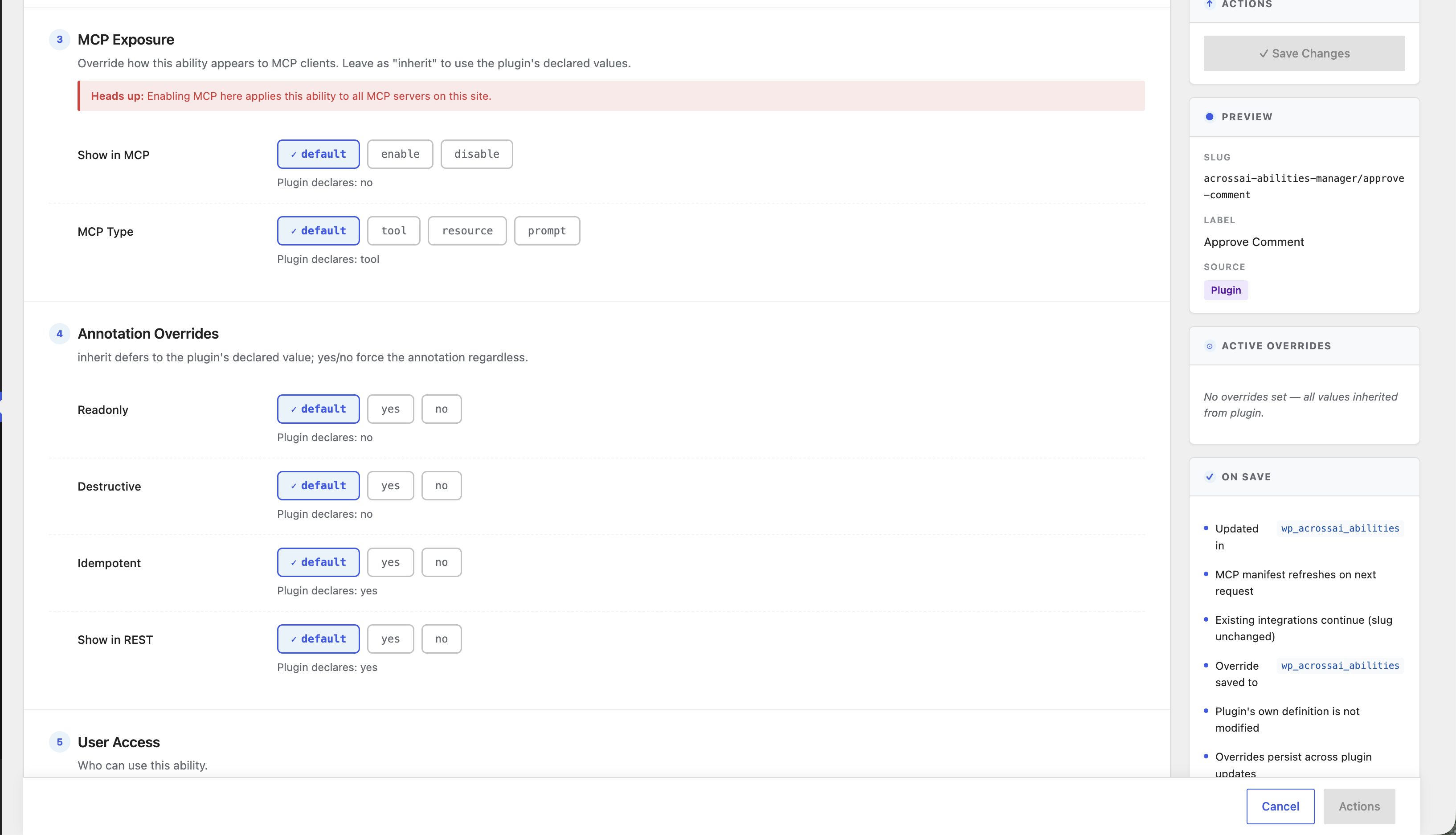
Show in MCP
On an ability’s edit screen, the Show in MCP control decides whether AI clients can see it. Leave it on default to respect the ability’s own setting, or choose enable / disable to force your own.
MCP Type
MCP Type tells the client what kind of thing the ability is — a tool (an action it can run), a resource (information it can read), or a prompt. Again, default is usually best.
Heads up: Enabling MCP for an ability makes it available to all MCP servers connected to your site. Only expose abilities you are comfortable letting AI clients use.
Working with MCP servers
To actually connect AI clients to your site you’ll pair this plugin with an MCP server — for example the free AcrossAI MCP Manager companion plugin (see Add-ons & companion plugins). When a server is active, the abilities you expose here become available to your connected AI tools.